MacSense icon App Store release coming soon

Know what's actually happening on your Mac.

MacSense checks your Mac's processor, memory, storage, heat and network, and tells you in plain English what's going on and what to do about it. Simple mode keeps it to the essentials; Advanced shows every number. One purchase also includes MacSense Pro, with sensor-level detail, on up to five Macs.

Dashboard · Diagnose · Memory · Make my Mac faster · Privacy

macOS 14 Sonoma+Apple silicon and Intel
Up to 5 MacsOne purchase, Pro included
No trackingNo account, analytics or ads
Every request loggedSee it in Settings › Privacy
Signed & notarizedPro is notarized by Apple
English & SpanishBuilt-in help included

Plain English first. Every number one click away.
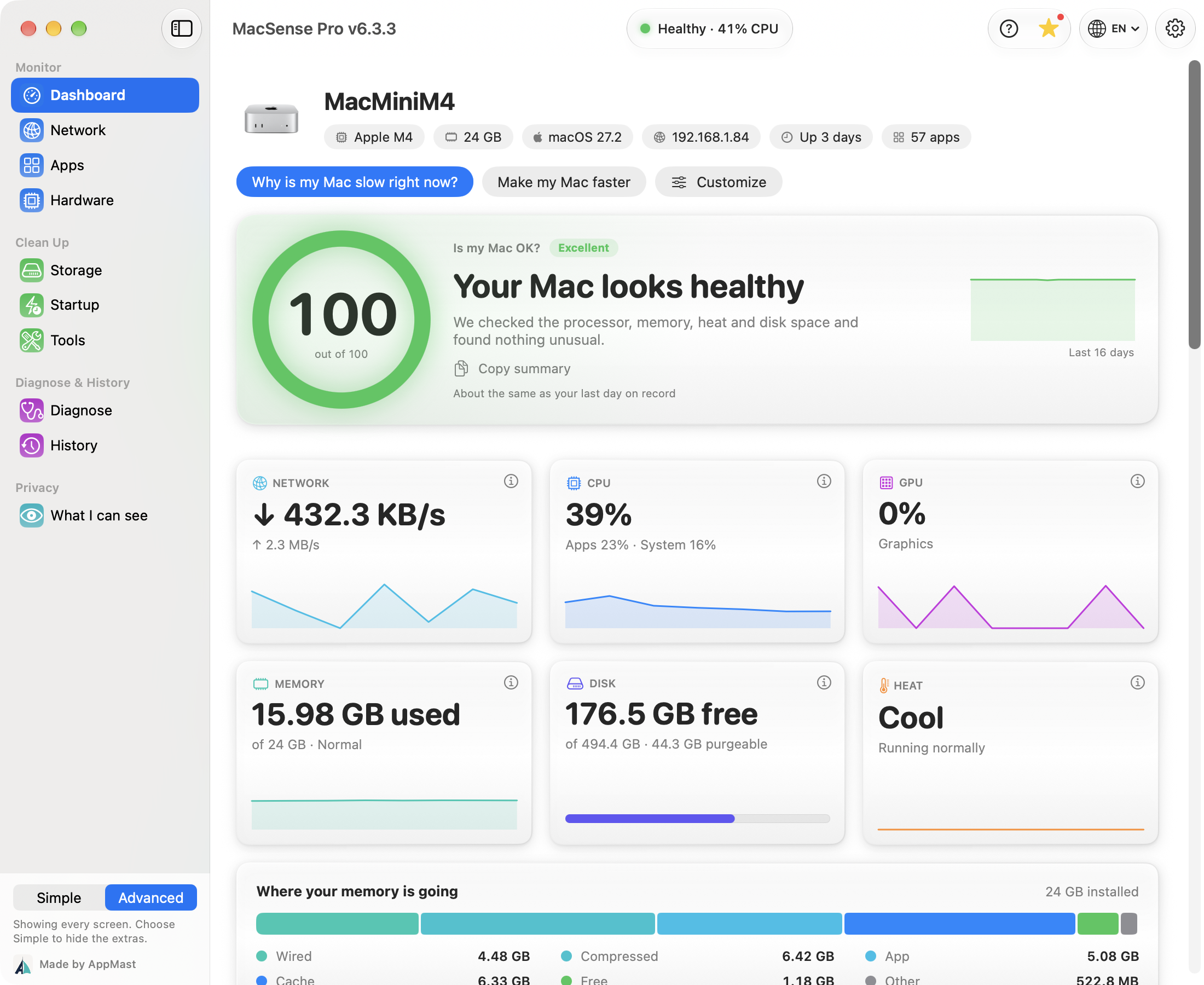
Simple when you want it. Sensor-level when you need it.

MacSense

What you buy on the App Store

  • A Dashboard in plain words: “Processor: light work”, “Memory: plenty of room”, with every number one click away
  • “Why is my Mac slow?”: names the app or problem behind it and offers a fix
  • Diagnose: a plain-English health check that says what each “Fine” means, with a PDF to share
  • Apps: the apps you opened, busiest first, with one sentence saying which one to look at
  • Safe cleanup that moves things to the Trash, with Undo in Recently Cleaned
  • History, a timeline, and an optional weekly check-up
  • A customizable menu bar, widgets, Shortcuts and alerts
  • Built-in help, including the words you’ll see (CPU, swap, purgeable space…) explained
  • English and Spanish
MacSense Pro · Up to 5 Macs

Included with your purchase

  • Every named sensor: temperatures, fan speeds, voltages, with pinned graphs and CSV export
  • Real battery health and history
  • Quit, pause or resume heavy apps, and see each app’s open network ports
  • Uninstall an App: the app and its files, matched by its exact ID, with Undo
  • App Leftovers: what removed apps left behind, each marked likely or possibly left over
  • Background agents, Wi-Fi Scanner and Network Devices
  • A readings log and a macsense command for Terminal
  • Signed and notarized by Apple, and it updates itself, only with your OK
Get MacSense Pro View Changelog

From the App Store to Pro in three steps.

  1. Buy MacSense on the App Store. It's a one-time purchase — no subscription.
  2. Open Unlock Pro and press Get MacSense Pro. MacSense opens the download page on this site and copies your unlock code.
  3. Drag it to Applications, then press Open MacSense Pro in MacSense. Your unlock code is already filled in. Press Activate, and it works on up to five of your Macs.

Zero tracking. Every request logged.

No account, no tracking, no analytics and no ads. Your files, app list and readings never leave your Mac. Settings › Privacy lists every time MacSense reached the internet and exactly what it sent. That happens only when:

Details are in our privacy policy.

Real answers from the studio.

Not on the App Store yet

The App Store edition is being prepared for review. Want to know the day it’s available?

Notify Me
Already using MacSense Pro? Manage your license to see which Macs use your code or free a place for a new Mac.